 Orderverse Docs
Freight
Configure how freight charges are calculated and which tax rate applies to freight on orders and invoices.
Overview
The Freight tab sets the workspace-wide default freight calculation mode and the tax code applied to freight charges.
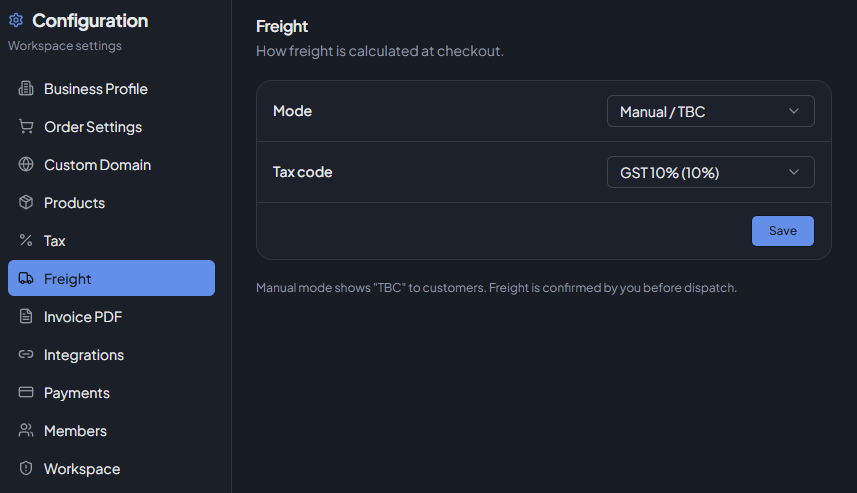
Customers can have their own freight mode overridden in their customer settings, which takes priority over this workspace default.
Freight Mode
| Mode | Description |
|---|---|
| Flat Rate | A fixed freight charge added to every order. |
| Free Over Threshold | Free freight when the order total meets or exceeds the threshold amount; otherwise the flat rate applies. |
| Manual / TBC | No automatic freight charge is calculated. Freight is shown as TBC to customers and must be resolved before a Xero export (if applicable). |
Freight Amounts
| Field | Used by | Description |
|---|---|---|
| Flat Amount | Flat Rate, Free Over Threshold | The freight charge added to orders. Set to 0 for free flat-rate freight. |
| Free Over Threshold | Free Over Threshold only | Orders at or above this value receive free freight. |
Both fields are disabled when Manual / TBC mode is selected.
Tax Code
Select which tax rate applies to the freight charge. The dropdown lists all active tax codes configured in the Tax tab.
You must add at least one tax code before freight tax can be configured.
Saving
Click Save Changes to apply all updates. Validation runs before saving:
- Flat rate requires a flat amount ≥ 0.
- Free Over Threshold requires both flat amount and threshold ≥ 0.